 Rollio
How it works
A film roll tracker that keeps pace with the camera
Three steps, from a fresh roll to a sheet you can file with the negatives.
Load a roll
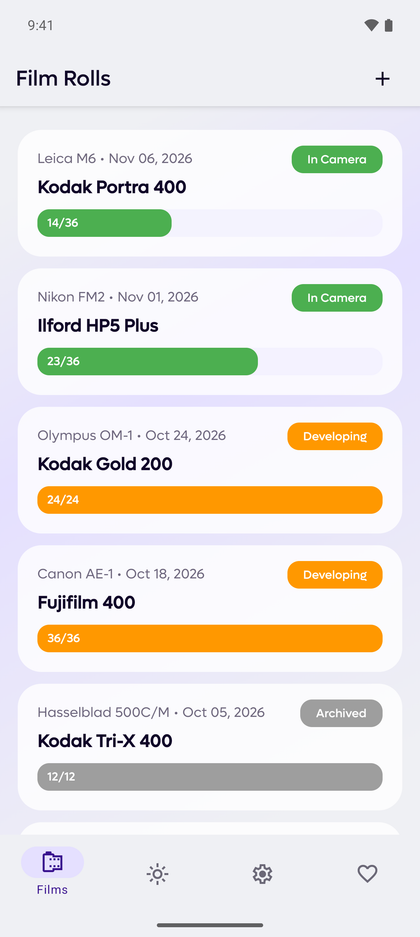
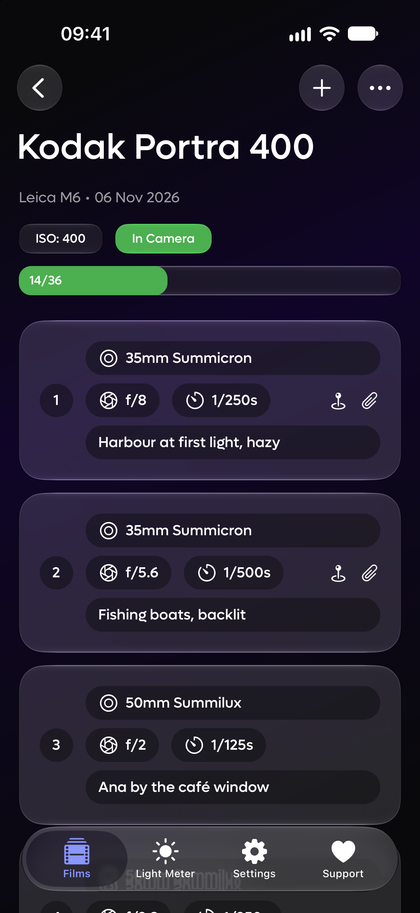
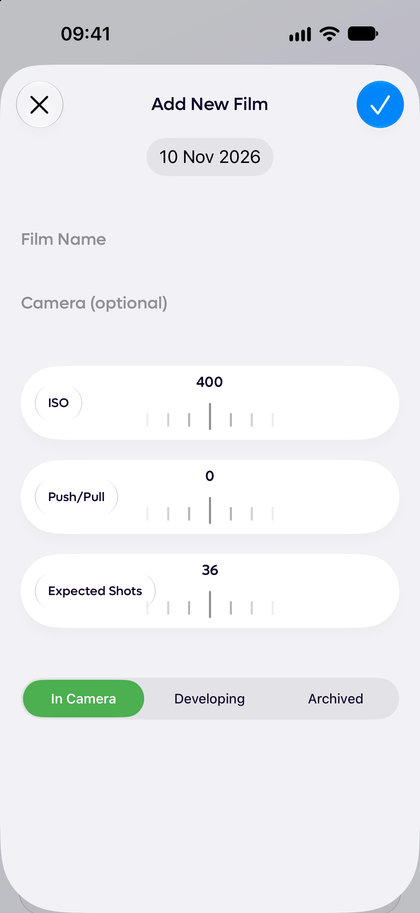
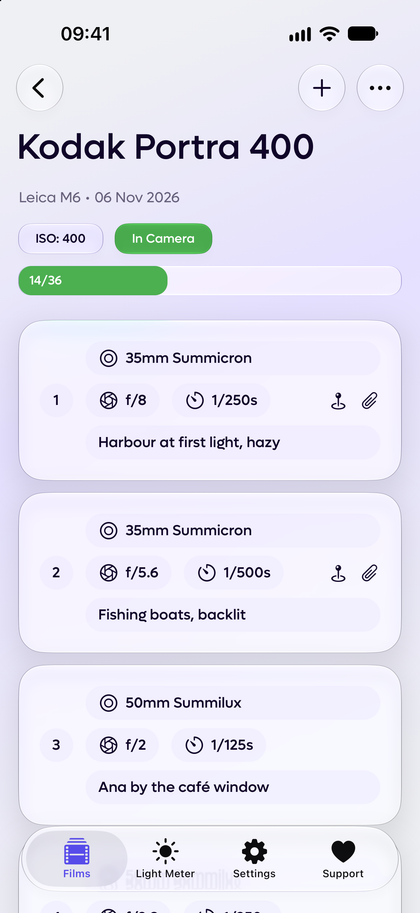
Enter the film stock, ISO, push or pull, camera and expected shots. The roll starts In Camera with a frame counter and a progress bar, then moves to Developing and Archived.
Log each frame
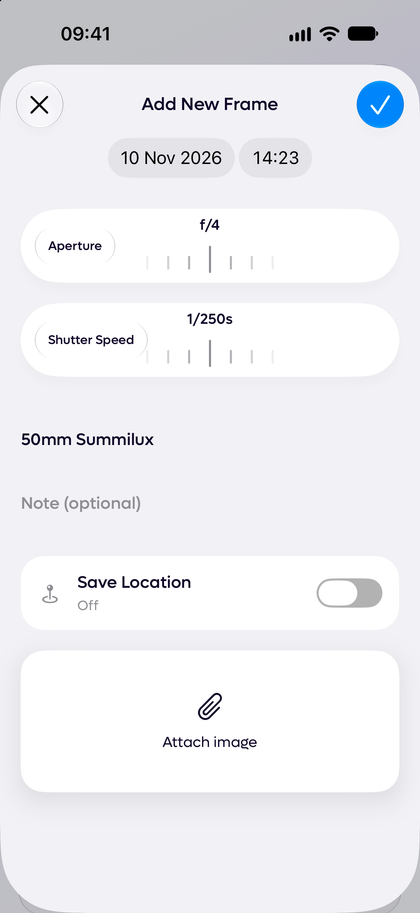
Set the aperture and shutter speed, then add the lens and a note. A new frame starts from the settings of the last frame, so your exposure notes take seconds.
Export the contact sheet
When the roll is finished, export a print-ready PDF contact sheet or a CSV. Every frame keeps its number and its settings.
Kodak Portra 4001 · f/8 · 1/250s2 · f/5.6 · 1/500s3 · f/2 · 1/125s4 · f/4 · 1/250s5 · f/11 · 1/125s6 · f/2.8 · 1/60s7 · f/8 · 1/500s8 · f/5.6 · 1/250s9 · f/2 · 1/30s10 · f/4 · 1/125s11 · f/16 · 1/125s12 · f/2.8 · 1/250s13 · f/8 · 1/125s14 · f/5.6 · 1/60s15 · f/4 · 1/500s16 · f/2 · 1/60s17 · f/11 · 1/250s18 · f/2.8 · 1/125s19 · f/8 · 1/60s20 · f/5.6 · 1/125s
Light meter
A light meter that writes the exposure into your log
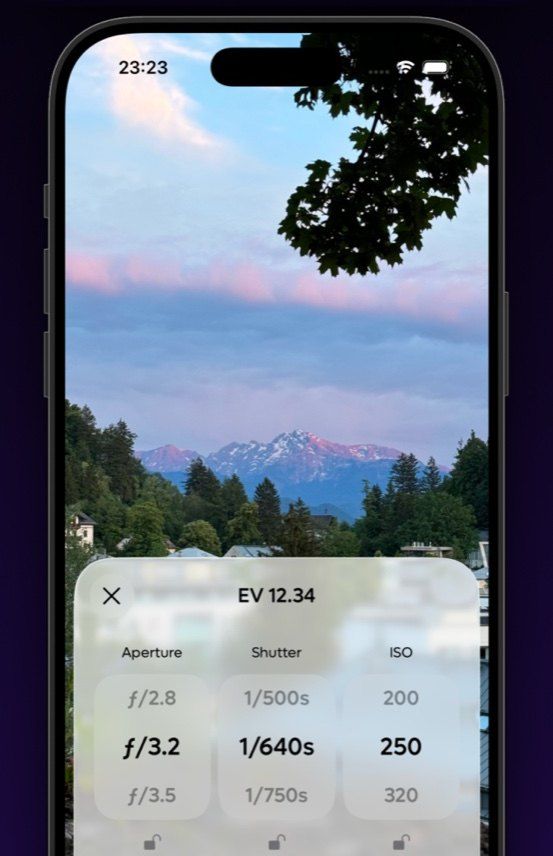
Point your iPhone or Android phone at the scene. Rollio reads the light through the camera and gives you aperture, shutter speed and ISO columns. Lock the value your camera fixes, then send the reading straight into a new frame.
No light to meter yet? The exposure planner lets you choose a scene, from snow in sun to moonlight, and find your settings before you leave the house.
Widgets
The roll in your camera, on your Home Screen and Lock Screen
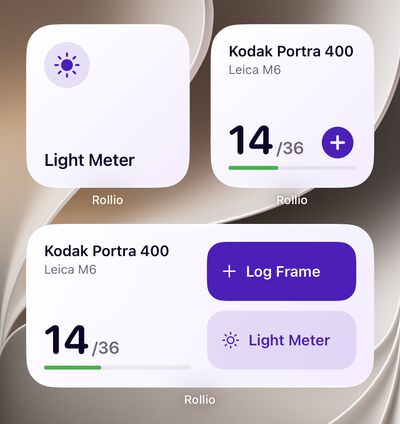
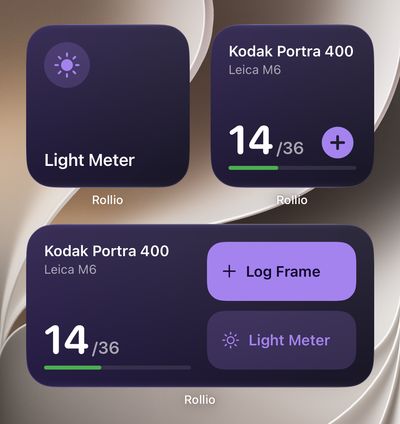
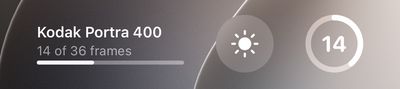
A widget shows the roll in your camera and its frame count. One tap logs a frame or opens the light meter.
On iPhone with iOS 17 or later there are Home Screen widgets and three Lock Screen sizes. On Android there is a 2×2 and a 4×2 widget. Each widget can follow your latest roll or stay on one you choose.
Location and photos
Know where each frame was made, and how
Switch Save Location on and a frame keeps its GPS spot with a short place label. The roll shows a pin, and you can open the spot in Maps.
Attach a photo, for example a scan, and Rollio reads the settings from its EXIF data. If a frame was blank or wasted, skip it and the count stays in step with the camera.
Export
A contact sheet PDF for the binder, a CSV for the spreadsheet
Export a roll as a print-ready A4 PDF contact sheet, in black & white or in color. Skipped frames keep their place, so the sheet agrees with the negatives.
The CSV has the analog photography notes for every frame, with latitude and longitude where you saved a location.
Backup and restore
One backup file, and it is yours
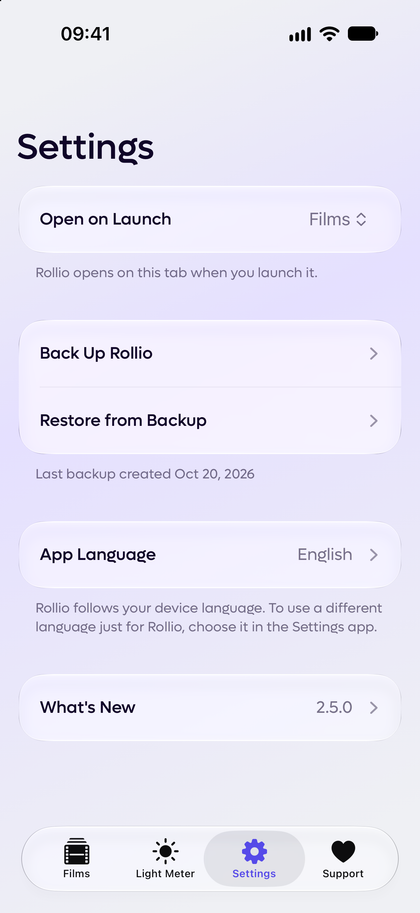
Back Up puts every roll, frame and photo into a single .rollio file. Keep it in iCloud Drive, Google Drive or anywhere else you trust.
Restore the file on a new phone and your 35mm film log is back as you left it. No account is involved at any point.
Privacy
No account. No cloud. No tracking.
I made Rollio for my own film cameras, and I did not want it to know anything about me. So there is no account and no login. There is no cloud, there are no ads and there is no analytics. Your rolls stay on your phone, and the app works fully offline.
Data leaves the app in two cases only. The first is a backup or an export that you make yourself. The second is a frame that you save a location for: your phone's operating system receives those coordinates to find the place name.
The code is open source under the MIT licence, so you do not have to take my word for it.
Davit Podosyan, developer of Rollio
Reviews
What film photographers say
- 4.9App Store
- 4.7Google Play
If you’re an amateur, pro, or beginner, you need this app. Logging settings for shots is intuitive and integrates into a film photographer workflow very nicely.
Absolutely perfect! The fact I don't HAVE to meter to save a shot is excellent.
Absolutely love it as a newbie to film photography, will help me up my game massively as I experiment with techniques.
Fantastic UI, very intuitive and minimalist. Locally saves previous cameras, lenses, and films so the user can easily re-enter them for new rolls or shots.
This app is very useful for logging aperture and shutter speed information as the film is shot.
Beautiful little tool for film photographers who want to track their shots.
FAQ
Questions before you load a roll
Does it need an account?
No. There is no account and no login. You open the app and load a roll.
Does it work offline?
Yes. Rollio works fully offline, so you can log frames anywhere you take a camera. The one thing that uses a connection is the place name for a frame you save a location for, which your phone looks up from the coordinates.
Which phones and OS versions does it support?
iPhone and iPad with iOS 16.4 or later, and Android phones with Android 8 or later. The iPhone Home Screen and Lock Screen widgets need iOS 17 or later.
Can I move my data to a new phone?
Yes. In Settings, choose Back Up Rollio. This puts every roll, frame and photo into one .rollio file. Save it to iCloud Drive, Google Drive or anywhere else, then choose Restore from Backup on the new phone. A restore replaces the data on that phone, and Rollio warns you first.
Does the light meter replace a handheld meter?
For most scenes, yes. The light meter measures reflected light through the phone camera and gives you matching aperture, shutter speed and ISO values, which you can lock to suit your camera. It cannot measure flash and it is not an incident meter, so keep a handheld meter for studio work.
Which languages does Rollio support?
The app is in English, Japanese and Korean, and it follows your device language. The App Store and Google Play listings are in ten languages.
Where is my data stored?
On your phone, and only there. Rollio has no server and no cloud sync. Your data leaves the device only in the backup, PDF and CSV files that you export yourself.

Your next roll deserves notes
Get the film photography log app for iPhone and Android.


No account. Nothing leaves your phone.